Description
Gboard is Google's keyboard for Android, which has long outgrown being just a text input tool. The app is aimed at those who write a lot and want to do it quickly: with support for swipe typing, voice, handwriting input, and a built-in translator, it covers most everyday communication scenarios. Gboard is worth installing both for those who correspond in several languages and for those who are simply tired of a slow standard keyboard.
Features of Gboard
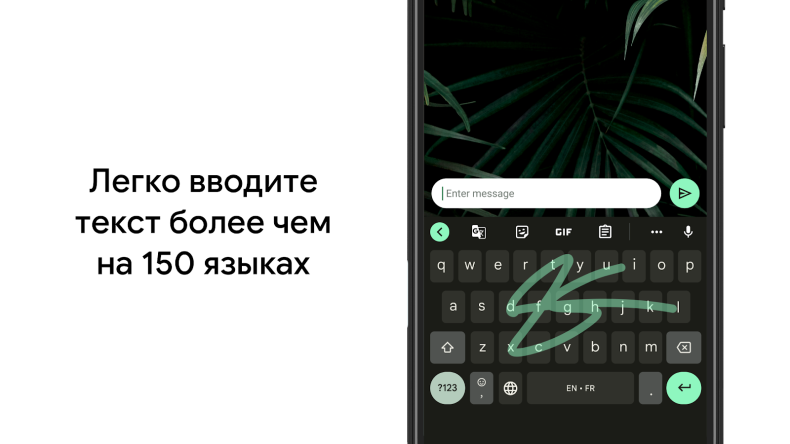
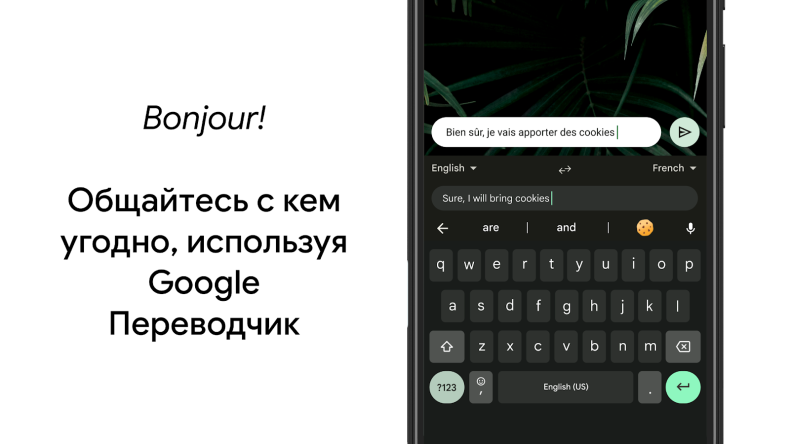
One of the main capabilities is gliding input: just slide your finger across the letters, and the keyboard will guess the word on its own. Alongside it is voice typing, which processes speech accurately even in noisy environments, and handwriting input, where you can literally write text with your finger on the screen. The built-in Google Translate lets you switch between languages on the fly right in the input field, without going to a third-party app.
It's worth mentioning the multilingual mode separately: Gboard automatically detects which language the user is writing in, corrects typos, and offers suggestions — without manually switching the layout. Russian, English, Spanish, German, Chinese, Japanese, Korean, and dozens of other languages are supported.
Modes and additional features
In addition to the standard set, the app offers convenient cursor control - just slide along the space bar to move it precisely to the desired spot. Quick word deletion works by swiping left from the backspace key. In the settings you can enable a number row, additional symbols, and one-handed mode - handy on large screens. Themes let you change the keyboard's appearance: with or without key outlines. Emoji search and GIF sending are available right from the panel without switching between apps.
Who Gboard is suited for
The app suits those who spend a lot of time in messengers and want to type faster without extra effort. It will be especially appreciated by multilingual users who don't want to switch layouts manually, and by those who actively use voice input. For those who are fine with the simplest keyboard without extra features, Gboard's capabilities may seem excessive.
You can download Gboard for Android for free - the app doesn't require a subscription and works without internet in basic mode. Downloading the APK file and installing it won't be difficult even without access to Google Play.