KineMaster is a full-featured video editor for Android that meets the needs of both beginners taking on editing for the first time and experienced creators who value speed and results. The app allows you not just to cut and glue clips, but to build complete video projects right from your smartphone - with effects, voiceover, subtitles and export in high resolution. The real-time recording mode deserves special attention, as it effectively turns KineMaster into a replacement for the stock camera.
KineMaster Features
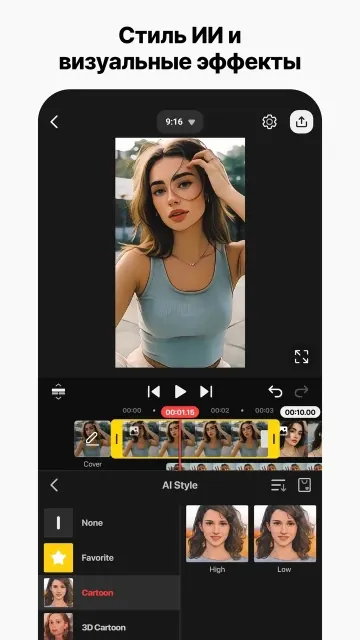
Among the artificial intelligence-based tools, several truly useful ones stand out: auto-subtitles recognize speech and add text without manual input, the voiceover function turns typed text into voice with one tap, and AI voices allow you to choose the right intonation and timbre. In addition, the built-in background removal tool works without a green screen - just one tap is enough. Noise reduction, vocal separation, object tracking, video upscaling and mood-based music selection round out the picture. A version with Premium MOD is available, unlocking paid features without a subscription.
Modes and Capabilities
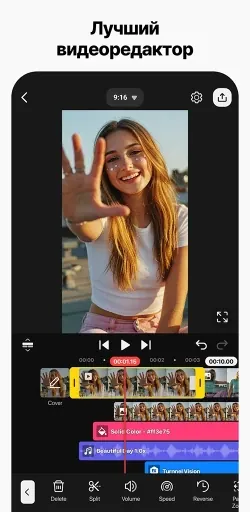
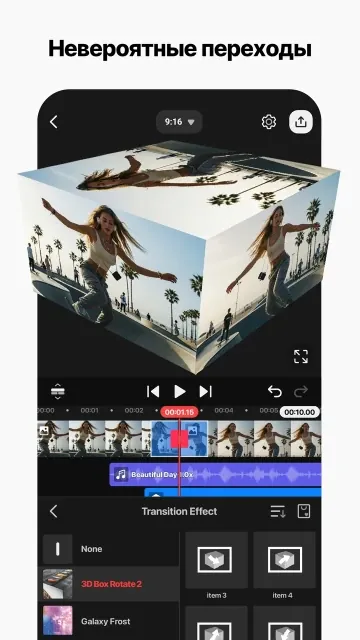
The editing part of KineMaster is built on a multi-layer timeline: on top of the main video track you can layer additional clips, text, stickers, VFX effects and music. Keyframe animation gives control over the movement of each element, speed control allows you to create slow motion, fast motion and timelapses, and the green screen removes the background with professional accuracy. Export supports resolutions up to 4K at 60 frames per second, and the finished video can be instantly optimized for YouTube, TikTok or Instagram format. The app's library stores tens of thousands of resources: transitions, fonts, color filters, stock photos and videos.
Who KineMaster Is For
The app works equally well for bloggers who need to publish content quickly, and for those who are just learning to edit and don't want to deal with complex desktop programs. Professionals will appreciate the depth of the tools: keyframes, multi-layering and support for tablets with Chromebook make KineMaster a working tool, not a toy. Those looking for a simple trimmer without extra features may find the app excessive.
You can download KineMaster for Android as an APK file right from this page - installation takes less than a minute. The version with Premium MOD unlocks all features without restrictions and without monthly payment.
Attention: using the mod may violate the app's terms of use. Install at your own risk.